 Bicep Heart
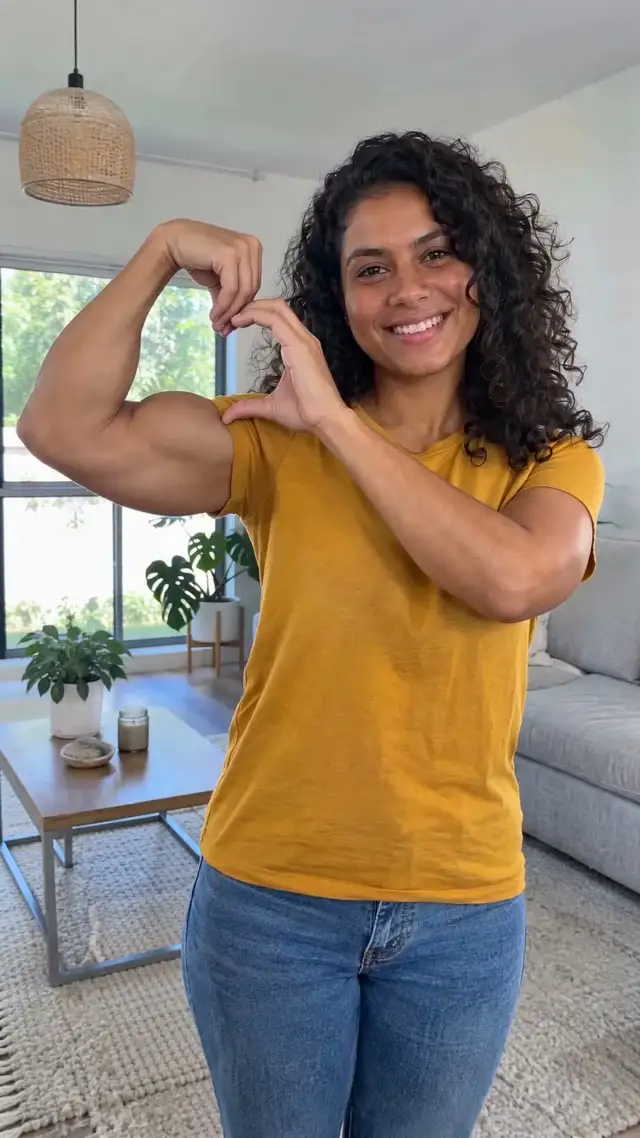
1. The hands look odd or the heart is missing
Use a photo where both arms and both hands are fully in the frame, not cropped at the elbow or hidden in pockets. Arms resting at your sides are fine. If the heart still comes out wrong, email us and we refund that video.
2. It doesn't look like me
Pick a sharp, front-facing photo with even light. Sunglasses, caps, side angles and beauty filters make faces harder to keep.
3. The arm looks too big or too small
The video follows your photo. A woman's flexed bicep is kept a bit smaller and more natural than a man's. A photo in a fitted t-shirt helps the arm look like yours.
4. My pet didn't lift its leg
Use a photo where the front legs are visible. Close-ups of only the face leave the legs to guesswork.
5. It failed or is taking long
Most videos take about 5 minutes and you can close the page; it waits in My videos. A failed video refunds its credit automatically.
6. I paid but the credits aren't there
Refresh after the payment window closes. Still missing after a few minutes? Email support@bicepheart.app with the email you signed in with and we'll fix it within 24 hours. Then head back to the bicep heart video maker.