 Bicep Heart
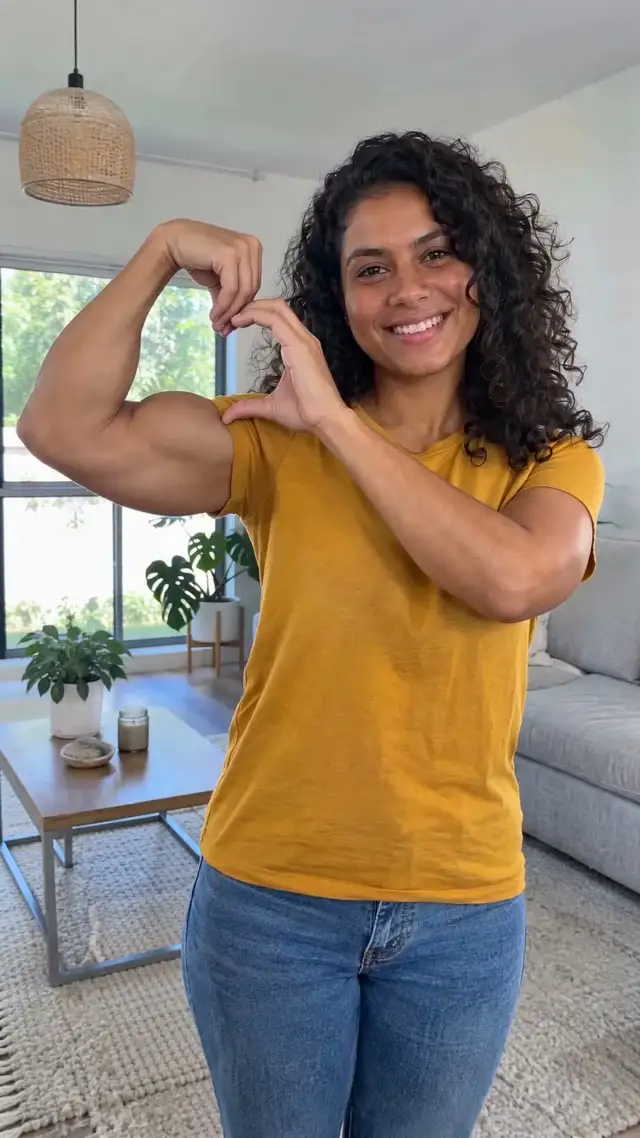
Two ways to get the picture
| Way | What you do | Result |
|---|---|---|
| Take it yourself | Phone on a timer or burst mode, hold the pose | Full camera resolution, free |
| Grab a frame from your video | Pause the bicep heart video at the heart, take a screenshot | 720×1280 still, from the video you already have |
Take a bicep heart picture yourself
Prop your phone at chest height, set a 3 or 10-second timer or use burst mode, and step back so both arms are in the frame. Flex one arm with the wrist bent toward you, curve the other hand over the bicep with the thumb tucked under, and hold it. Burst mode gives you several shots to pick from.
Get a picture from your bicep heart video
The heart is fully formed around 0:04 to 0:06 in videos from this site. On a phone: open the video, pause on the frame you like and take a screenshot, then crop off the player buttons. On a computer: open the MP4 in VLC, pause, and use Video > Take Snapshot to save the frame as an image.
Tips for a cleaner frame
Pause on a frame where the hand is still, not mid-move, so the fingers are sharp. Turn your screen brightness up before the screenshot. Crop to 4:5 for an Instagram post or keep 9:16 for a story.
Making the video first
Add one photo to the bicep heart video maker and get a 7-second, 720p video of you or your pet doing the pose; then pick your favourite frame. We only make videos, not separate images, so the picture is a frame from your video. 1 video is $4.99, paid once (see pricing).