 Bicep Heart
What a CapCut template gives you
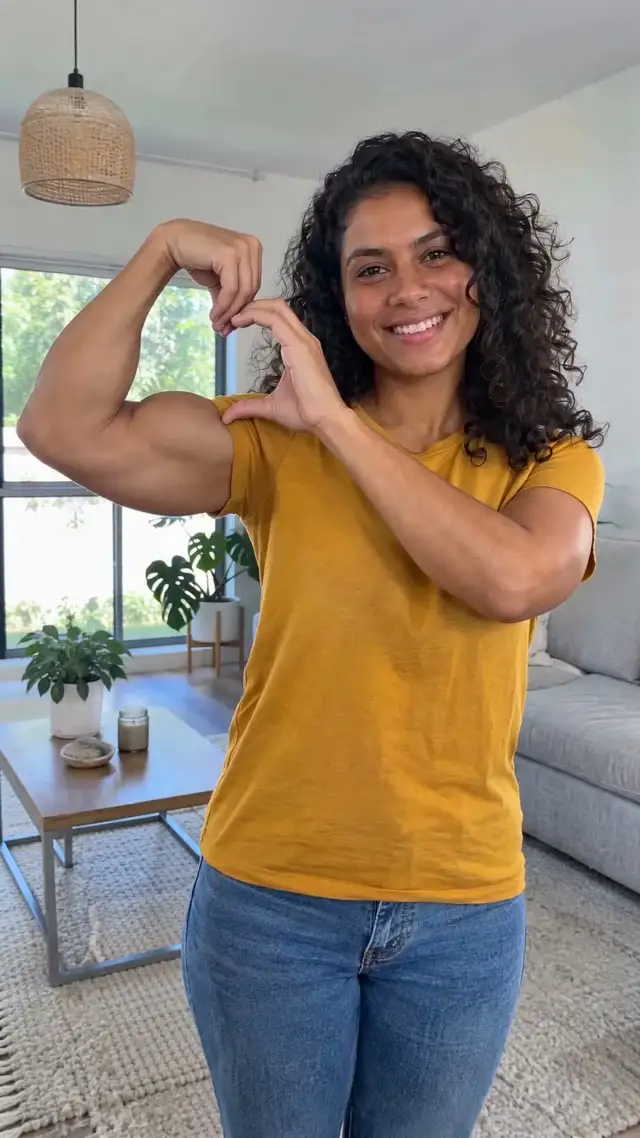
Templates for pose trends usually set the timing, the text and the sound, and sometimes add a zoom or a sparkle when the heart appears. You still film yourself doing the flex and the hand heart; the template only edits your footage.
How to use one
Search CapCut for the trend name, pick a template that matches, tap Use template and drop in your clip. If you haven't filmed yet, stand where both arms are in frame, flex, bring the other hand up into a half heart on the bicep and hold it for a second. Templates come and go quickly, so check what's available on the day.
When an AI video is easier
If you can't get the hand shape to look right on camera, don't want to film, or want your pet to do it, the bicep heart video maker makes the whole 7-second clip from one photo where both arms are visible. It costs $4.99 for 1 video, paid once.
Compared
| CapCut template | AI video from one photo | |
|---|---|---|
| You film the pose | Yes | No, one still photo |
| Pet version | Only if your pet will flex on cue | Yes, one leg up and a heart by the paw |
| Cost | Free in CapCut (some templates need Pro) | $4.99 for 1 video, paid once |
| Time | Filming plus editing | About 5 minutes |
Mix them
Download the silent copy of your AI video and put it in a CapCut template or straight into TikTok with the trend sound. Searching for a filter instead? Is there a bicep heart filter?